 GRUEN INTERNATIONAL SCHOOLS, PORT HARCOURT
TOPIC: MEMORY AND STORAGE
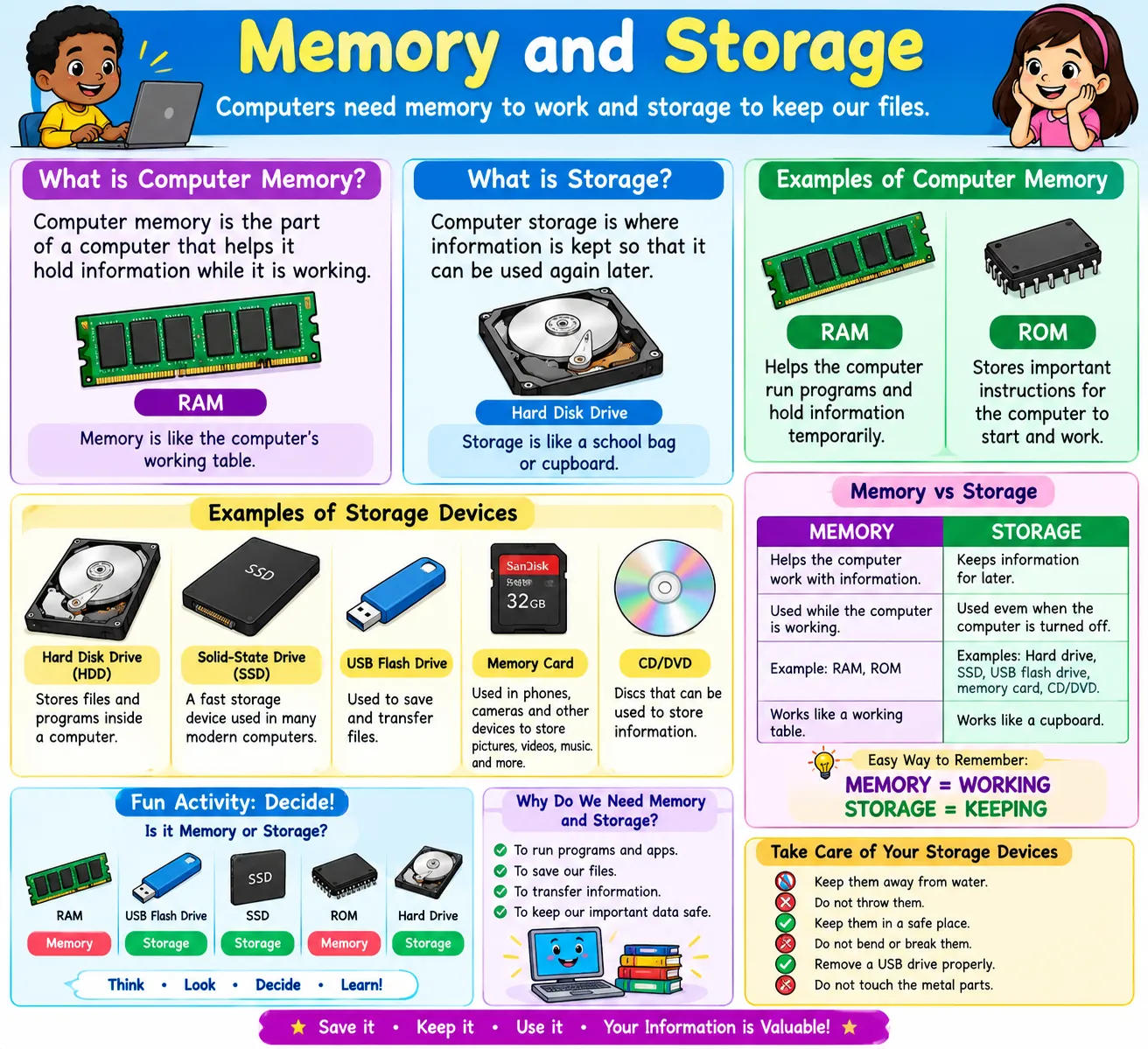
Computer memory is the part of a computer that helps the computer hold information while it is working.
👦 Easy Meaning:
Memory is like the computer's working table.
When the computer is doing something, it needs a place to temporarily keep the information it is using.
🏫 Example:
Imagine you are doing your homework.
You put your books and pencils on your table while you work.
The computer also needs a place to keep information while it is working. This is called memory.
🧩 Examples of Computer Memory
RAM means Random Access Memory.
RAM helps the computer temporarily hold information that it is currently using.
👉 Example: When you open a game or a program, RAM helps the computer run it.
ROM means Read-Only Memory.
ROM stores important instructions that help the computer start and operate.
For Grade 3, remember: RAM and ROM are types of computer memory.
💾 2. What is Computer Storage?
Computer storage is where information is kept so that it can be used again later.
👧 Easy Meaning:
Storage is like a school bag or cupboard where you keep things safely for later.
For example, when you save:
they can be kept in computer storage.
💽 Examples of Storage
Some storage devices include:
💿 1. Hard Disk Drive (HDD)
Used to store files and programs inside a computer.
⚡ 2. Solid-State Drive (SSD)
A fast storage device used in many modern computers.
💾 3. USB Flash Drive
Used to save and transfer files.
💳 4. Memory Card
Used to store pictures, videos, music, and other files.
💿 5. CD/DVD
Discs that can be used to store information.
🔍 MEMORY VS STORAGE
|
🧠 MEMORY |
💾 STORAGE |
|
Helps the computer work with information |
Keeps information for later |
|
Mainly used while the computer is working |
Keeps files even when the computer is turned off |
|
Example: RAM |
Examples: Hard drive, SSD, USB flash drive |
|
Works like a working table |
Works like a cupboard |